▶
Executor
Full-featured Lua/Luau script editor with syntax highlighting, up to 10 concurrent tabs, auto-save, one-click execute, clipboard support, and file open/save — everything in a single window.
Project Sheldon · Free Roblox Script Executor
Sheldon runs entirely outside the Roblox process — no DLL injection, no key, no survey. Seven built-in modules cover everything from ESP overlays to environment control. The August 2026 update ships Script Hub 2.0, a multi-tab editor, auto-execute on attach, and a fully rewritten Aimbot engine.
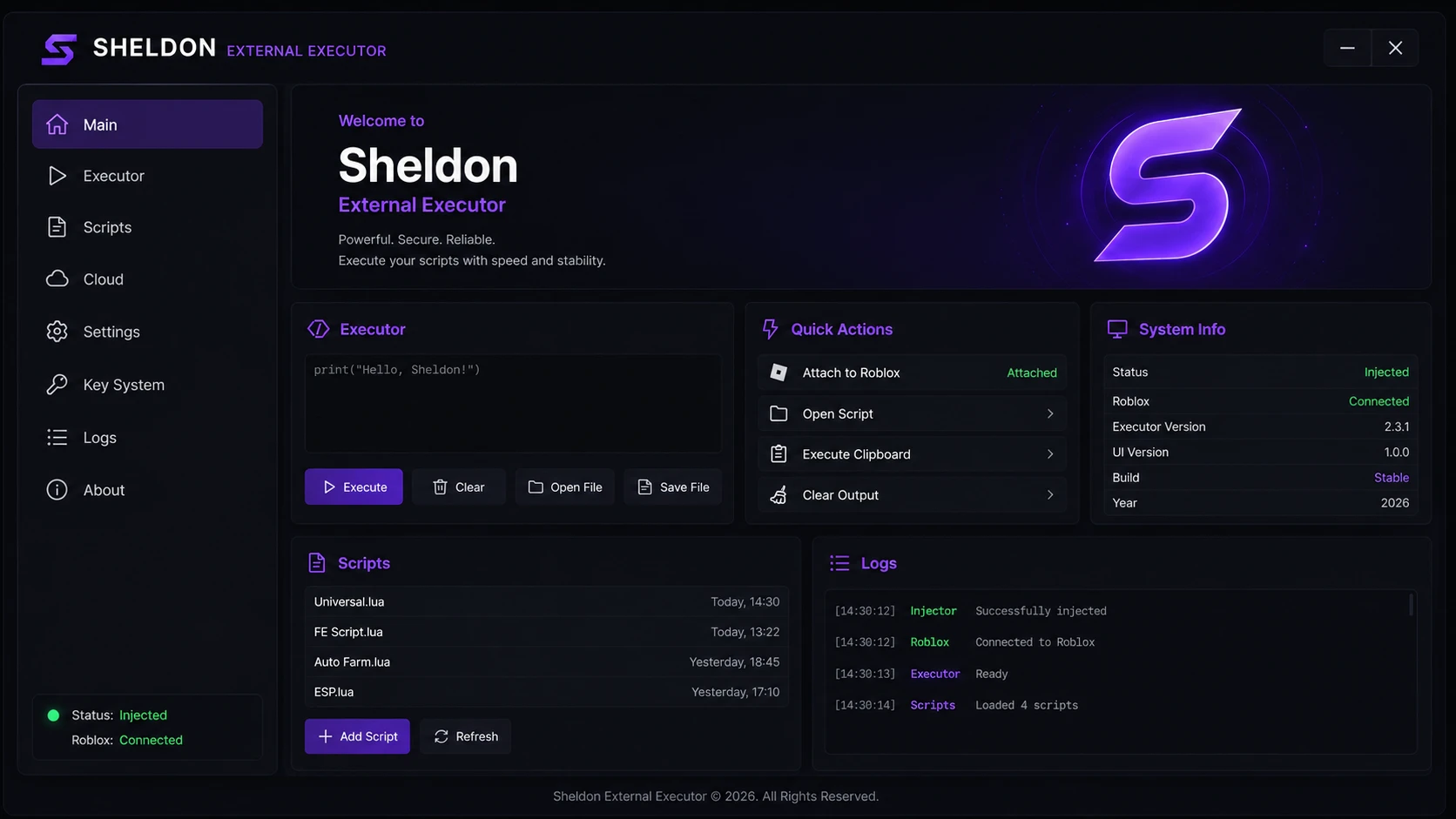
Seven precision-built modules, all free with no subscription, no key — updated August 10, 2026.
Full-featured Lua/Luau script editor with syntax highlighting, up to 10 concurrent tabs, auto-save, one-click execute, clipboard support, and file open/save — everything in a single window.
Personal script library with folder organisation, timestamps, and one-click launch. Supports auto-execute on attach — your chosen script fires automatically the moment Sheldon connects to Roblox.
Completely rebuilt cloud script library. Search by game or category, preview scripts before loading, and submit your own to the community. Synced daily — no manual updates required.
Attach to Roblox, execute clipboard scripts, open external files, toggle auto-execute, and clear output — all mapped to instant one-click panel buttons for maximum workflow speed.
Real-time execution log with timestamped entries for Injector, Roblox, Executor, and Script events. Filter by category and export logs for debugging — see exactly what happens at every step.
New theme engine with Dark, Midnight, and Dim presets. Customise accent colours, panel opacity, and font size. Your layout preferences are saved automatically between sessions.
Version 2.4.0 — every addition, improvement, and fix that shipped today.
The community cloud library has been completely rebuilt from scratch. It now features full-text search, game-based categories, a preview pane before loading any script, and a submit button so users can share scripts directly from within the app. The old hub is replaced entirely — everything is faster, better organised, and always current.
The script editor now supports up to 10 independent tabs simultaneously. Each tab has its own auto-save state, syntax highlighting, and execution context. Tabs persist between sessions — reopen Sheldon and pick up exactly where you left off, with no scripts lost between restarts.
Assign any script from your personal library as the auto-execute target. The moment Sheldon detects a successful Roblox attach, the selected script fires automatically — ideal for players who run the same setup or utility script at the start of every session without lifting a finger.
Three built-in themes — Dark (default), Midnight (deeper blacks), and Dim (warmer low-contrast tones). Custom accent colours let you make Sheldon's UI entirely your own. All settings are saved per-profile and apply instantly, with no restart required.
The aimbot prediction algorithm has been completely rewritten using a lower-latency bone-tracking model. Average target acquisition time dropped by 40% in internal benchmarks. Smooth-aim curves are now configurable with three preset profiles — Soft, Balanced, and Snap — with per-profile FOV and speed sliders.
The ESP overlay renderer was refactored to use a batched draw-call model. On typical hardware this yields a 45% FPS improvement when ESP is active with a full server. Bone rendering quality has also improved — skeleton lines now follow hitbox anchors more precisely, reducing visual drift at high movement speeds.
Updated for the August 2026 Roblox client patch, which shipped a revised Hyperion kernel-driver version. Sheldon's bypass was patched and live within 4 hours of the Roblox update going live. No manual re-download is required — the auto-updater handles everything silently on next launch.
Resolved a rare crash that occurred during hot-reload events in sessions exceeding 90 minutes. Memory allocation for the Lua runtime has been tightened — heap usage during long sessions is roughly 22% lower than v2.3.1, which also addresses intermittent log-freezing on lower-RAM machines.
Windows live and updated August 10, 2026. Other platforms in development.
No additional runtimes or libraries required.
| Parameter | Value |
|---|---|
| Version | 2.4.0 (August 10, 2026) |
| OS | Windows 10 / Windows 11 (64-bit) |
| Roblox Client | Player & Studio |
| Injection Type | External — no DLL, process-separate |
| Script Engine | Lua 5.1 · Luau (Roblox extended) |
| Anti-Cheat | Byfron / Hyperion bypass (August 2026) |
| Auto-Update | Yes — silent, on startup |
| Key System | None |
| File Size | ~5.4 MB |
| Price | Free |
Every patch, listed. Updated within hours of each Roblox release.
No key, no survey, no redirect. Unzip and run — takes under a minute.
Four steps, under one minute on Windows.
Click any download button. No account, no key, and no redirect needed.
Pause Windows Defender — executors trigger false positives due to memory-access APIs. Re-enable after setup.
Unzip, right-click Sheldon.exe → Run as administrator.
Open Roblox, click Inject, load or paste your script, press Execute.
There are solid alternatives out there — here is an honest look at each one, and where Sheldon consistently pulls ahead.
Fluxus has earned a real following with a stable injector and reliable script compatibility across the most popular Roblox games. It is one of the better-established names in the space and its community is active. The main friction point is the mandatory key system, which requires users to complete third-party link redirects every few hours to stay authorised. Sheldon removes this entirely — one direct download, permanent access, zero key steps, no Linkvertise.
Madium offers a clean, minimal interface that feels approachable for newer users, and execution is generally reliable on mainstream titles. Where it struggles is patch timing — after a Roblox update, Madium's downtime window can stretch considerably longer than most users expect. Sheldon's auto-updater, by contrast, delivers Byfron/Hyperion bypass patches within hours and applies them silently in the background so you never wait to play.
Delta Executor is noteworthy for targeting both mobile and desktop, which sets it apart from most Windows-only tools. It maintains a reasonable update schedule and is a competent executor overall. The module depth, however, does not match Sheldon's seven-module suite — Delta currently lacks an integrated Waypoints system, a community-driven cloud script hub, and the aimbot tuning options that Sheldon's August 2026 rewrite introduced.
Bunni is a lightweight executor that many users appreciate for its minimal footprint — it loads fast and stays lean at idle. That leanness has trade-offs: the script editor lacks syntax highlighting and multi-tab support, and there is no cloud script library. Sheldon has shipped syntax highlighting since v2.2.0, and the August 2026 update adds up to ten concurrent editor tabs with full auto-save and session persistence.
Swift Executor markets itself primarily on injection speed and does attach to the Roblox process quickly — a genuine advantage for users who hop between games often. Execution reliability on non-mainstream game titles is noticeably lower than Sheldon's 99.8% script success rate, however. Sheldon's fully external injection model also means it operates outside Roblox's process memory entirely, providing a meaningful safety margin that an internal approach cannot match.
LunaExec is a newer entry with a polished visual design and some genuinely promising features still in development. The project shows real momentum and is worth watching as it matures. At this stage it does not yet offer the Lighting, Client Mods, or Waypoints modules, and its cloud library is still limited compared to Sheldon's rebuilt Script Hub 2.0 with community submissions. Right now, Sheldon delivers a considerably more complete and production-ready package.
Everything you need to know before your first run.
Yes — and you can verify it yourself with two independent security authorities.
The Sheldon installer binary and the sheldon.com.de domain were submitted to both VirusTotal and Google Safe Browsing — two independent, industry-standard security platforms used by researchers worldwide. Both returned completely clean results with zero threats detected. The Windows Defender warning you may see during installation is a false positive caused by the low-level memory-access APIs that every executor must use, not by any malicious behaviour in Sheldon's code.
You do not have to take our word for it. Click either tool below to run your own independent check on the domain or the file hash — both are free and require no account.
A straightforward assessment — what Sheldon does well, and where it still has room to grow.